
I have paid for an Uber or a Lyft a thousand times by now, give or take, and I have used almost every method the apps allow. Credit card, debit card, Apple Pay, PayPal, Venmo, Uber Cash, a Visa gift card my mom gave me for Christmas, even literal paper dollars handed to a driver in Miami. The question I get more than any other from friends and from readers of RideWise is some version of: wait, can I actually pay Uber with cash? Does Lyft still take PayPal? Which card should I put on file?
So here is the complete, real-world answer for 2026. I run this site, I track payment policy changes at both companies, and I do my own testing. This is everything I wish someone had written down in one place.
The short version
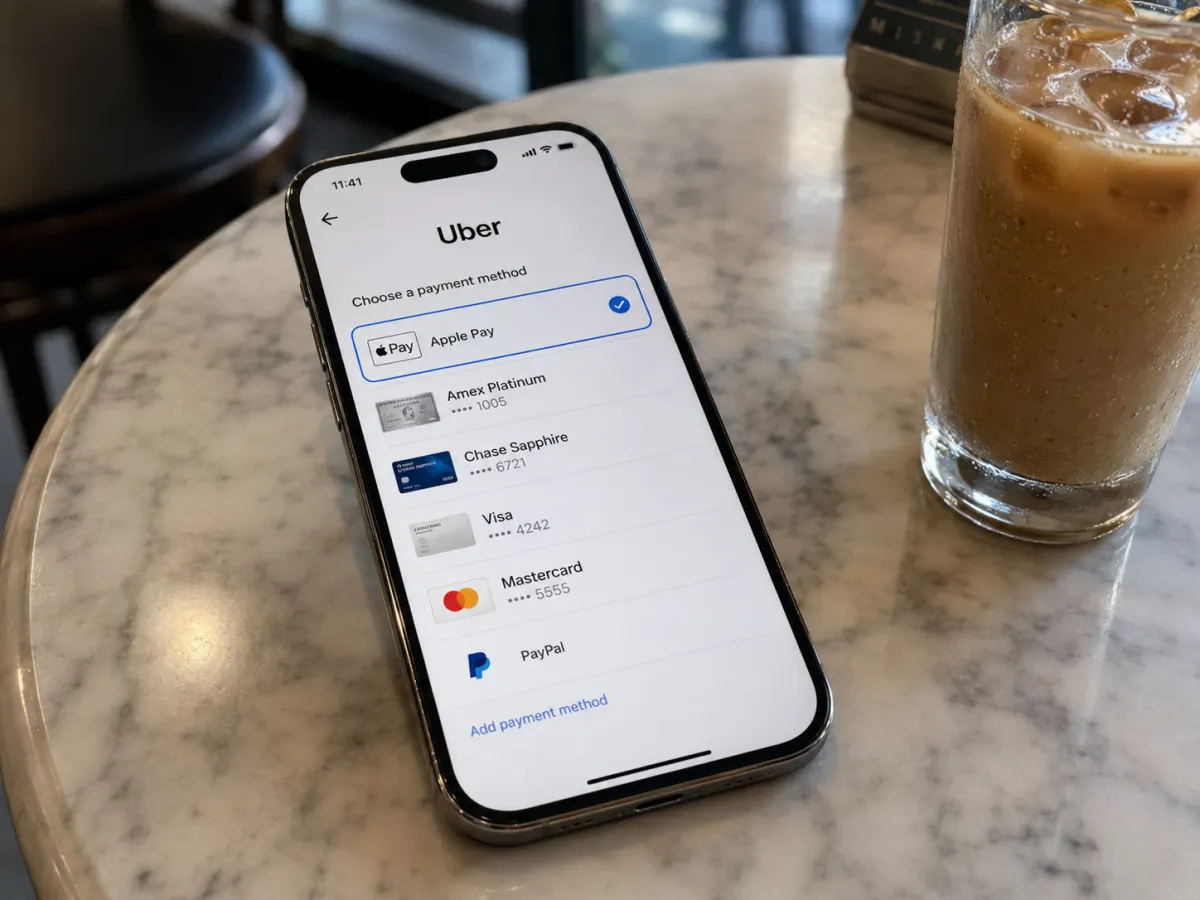
Uber accepts cash in select US cities (mostly the ones with active taxi-style markets), every major credit and debit card, PayPal, Venmo, Apple Pay, Google Pay, Amazon Pay, Uber Cash, gift cards, and HSA/FSA cards for qualifying medical trips. Lyft accepts everything Uber does except cash — Lyft has been cashless in the US since launch and confirmed in 2024 it has no plans to change. If you just want one default, put a no-foreign-transaction-fee credit card on file and turn on Apple Pay or Google Pay as a backup.
Why this matters more than you'd think
Payment used to be the boring part of rideshare. You typed in your card once during signup and never thought about it again. But in 2026, the payment layer is where the real money is hiding. Some cards rebate up to 10x points on rideshare. Uber One and Lyft Pink stack with credit card credits. HSA dollars can cover a clinic ride if you know how to code it. And in roughly a dozen US markets, paying with physical cash is the only way to get a ride when your card glitches at 1 AM.
I learned that last one the hard way. When my Chase card got fraud-blocked in Miami in October 2023 I had to switch to cash for an UberX from South Beach back to my hotel. It worked — the app actually let me toggle to cash at the airport-adjacent zone — but it felt weirdly clunky, and the driver clearly preferred I had a card. I tipped extra in bills and we both moved on. Since then I've made a point of always having a twenty in my wallet and a backup wallet (Apple Pay) loaded with a second card. The same backup logic matters even more at 2 AM — I cover the specifics in my late-night rideshare guide.
Cards on file — the default
Both apps lean on a card-on-file model. You add a Visa, Mastercard, American Express, or Discover during signup and it becomes your default. The charge is authorized at trip request and captured when the ride ends, which is why you sometimes see a small pending hold (typically the upfront fare, occasionally a flat $1 verification on a new card).
Per Uber Help: Payment methods and Lyft Help: Adding and updating your payment method, both companies accept all four major US card networks plus most prepaid Visa/Mastercard products.
| Method | Uber | Lyft | Notes |
|---|---|---|---|
| Visa credit/debit | Yes | Yes | Most common default |
| Mastercard credit/debit | Yes | Yes | — |
| American Express | Yes | Yes | Amex Platinum Uber credit applies on Uber |
| Discover | Yes | Yes | Accepted nationwide |
| PayPal | Yes | Yes | Linked to PayPal balance or backup funding source |
| Venmo | Yes | Yes | US only, requires Venmo balance or linked bank/card |
| Apple Pay | Yes | Yes | iOS only; works as wallet token |
| Google Pay | Yes | Yes | Android only |
| Amazon Pay | Yes | No | Uber-only, US |
| Uber Cash / Uber gift card balance | Yes | n/a | Stacks with Uber One bonus |
| Lyft Cash / Lyft gift card balance | n/a | Yes | Reloaded from card or gift code |
| Visa/Mastercard gift cards | Yes | Yes | Treated as a regular card |
| HSA/FSA debit cards | Yes (medical trips) | Yes (medical trips) | Eligible only for qualified NEMT — see IRS Pub 502 |
| Business credit (corp profile) | Yes | Yes | Uber for Business / Lyft Business |
| Cash (USD) | Yes, in select US cities | No | See city table below |
That table is the entire payment landscape on one screen. Below I'm going to walk through the non-obvious ones, because the "yes" entries hide a lot of nuance.
PayPal on both apps
PayPal has been supported on both apps for years. On Uber, you add it under Wallet → Add Payment Method → PayPal, log into your PayPal account, and it shows up as a selectable method per ride. Lyft works essentially the same way under Payment.
The catch I always tell people: PayPal will pull from your PayPal balance first, then fall back to whatever funding source you have set as primary inside PayPal itself (usually a linked bank or card). So if you funded PayPal with a debit card and that debit card declines, the ride payment fails even though you "have PayPal on file." Check your PayPal funding source if you ever see a mysterious decline.
Venmo on both apps
Venmo works on both Uber and Lyft in the US, which surprises a lot of people because it used to be Uber-only. Lyft added Venmo during the 2022–2023 rollout when PayPal (Venmo's parent) negotiated broader integration. You add it under the same Wallet/Payment menu and authorize Venmo via deep link.
Same caveat as PayPal: Venmo will use your Venmo balance first, then your backup. If you keep your balance at zero (most people do), make sure your Venmo backup card is in good standing.
Apple Pay and Google Pay
Apple Pay (iOS) and Google Pay (Android) are my single favorite payment methods on both apps. They tokenize your underlying card, so if a driver or restaurant ever sees a leaked card number, it isn't actually your card number — it's a device-specific token. Apple Pay was integrated into Uber back in 2014, positioned at the time as a security and friction improvement, and that part still holds.
Two reasons I default to Apple Pay on Uber:
- Biometric confirmation. Face ID confirms every charge, so if my phone is stolen, a thief cannot just order rides on my dime.
- Card switching is one tap. I keep three cards in Apple Pay. If my primary card is throwing fraud alerts (see: Miami 2023), I pick a different one mid-ride request.
One quirk: Apple Pay and Google Pay do not earn certain promotional credits unless the underlying card itself earns them. Amex Platinum's monthly Uber credit, for example, only applies when you have an Amex Platinum directly added to your Uber account, not when it's hiding behind Apple Pay. I checked this myself the hard way after losing a $15 monthly credit for two months in a row.
Amazon Pay (Uber only)
Amazon Pay is supported on Uber in the US but not on Lyft. It's one of those features that exists, works fine, and almost nobody uses. Worth knowing if you keep an Amazon gift-card balance and want to burn it down on rides.
Uber Cash, Lyft Cash, and gift cards
Uber Cash is a stored balance inside your Uber account. You can fund it by buying an Uber gift card (Target, CVS, Walgreens, Amazon, or directly in-app), by getting credit from promotions or referrals, or through an Uber One sign-up bonus that some periods include a small cash deposit.
Lyft Cash works the same way — you load it via the app or apply a Lyft gift card code. Gift cards bought at retail are usually delivered as a 16-digit code on the receipt or back of the card. You enter it in the app under Wallet → Add Payment Method → Gift Card.
Worth knowing: I buy Uber gift cards at grocery stores that run 4x fuel-points or stacked rewards promotions. A $50 Uber gift card bought during a Kroger promo can effectively cost $46 in real dollars. Stack that with an Uber One annual membership and the math gets interesting. See my Lyft Pink vs Uber One break-even analysis for when the membership is actually worth it.
For where Uber and Lyft cards are cheapest right now, and what they can and can't pay for, see our Uber and Lyft gift card guide.
Paying Uber with cash — the real story
This is the single most-Googled question in this whole topic, so I want to spend real time on it. Yes, Uber accepts cash in select US cities, and no, this isn't a recent change or a third-world-only feature.
Uber first piloted cash payments in the US around 2016, in a few markets, to capture taxi-style riders who didn't have credit cards. It has since expanded to a number of mid-size and large metros, often the ones where Uber is competing directly with traditional taxi fleets.
The operational reality:
- You select cash as the payment method before requesting the ride. It can't be changed mid-trip.
- The driver must opt in to accept cash trips. Not every driver does.
- The fare shown in the app is what you owe in cash at the end. Tip in cash on top.
- If the driver doesn't have change, that's between you and the driver. The app doesn't handle change.
- Surge pricing and dynamic fares still apply.
- Some cities cap cash to UberX (no UberXL or Comfort).
| City | State | Notes |
|---|---|---|
| New York City | NY | Available on UberX in most boroughs; not on premium tiers |
| Miami | FL | Available citywide; my fraud-block ride was here |
| Chicago | IL | Available; driver opt-in varies by neighborhood |
| Houston | TX | Available; common in Spanish-language driver communities |
| Los Angeles | CA | Limited availability; check the app at request time |
| Phoenix | AZ | Available; cash riders skew toward airport-adjacent zones |
| San Antonio | TX | Available citywide |
| El Paso | TX | Available; high cash-payment penetration |
| Las Vegas | NV | Available on the Strip and downtown |
| Orlando | FL | Available; popular with international tourists |
City availability changes. Uber publishes the authoritative list inside the app — open Payment Methods, tap Add, and "Cash" will only appear if your current city supports it.
To enable it in a supported city: open the Uber app, go to Wallet → Add Payment Method, and select Cash if it appears. Then choose Cash from the payment selector before tapping Request. The driver sees a cash icon on the trip card and can accept or decline.
Why Lyft won't take cash: Lyft has been cashless since launch and has publicly said it has no plans to introduce cash payments in the US. The company cites driver safety (fewer cash robberies), accounting simplicity, and faster checkout. So if you specifically need a cash ride, your only rideshare option in the US is Uber.
HSA and FSA cards for medical rideshare
This is one of the most under-used legitimate hacks in personal finance, and it deserves its own section. The IRS allows transportation expenses "essential to medical care" as a qualified medical expense under IRS Publication 502. That includes rideshare trips to and from doctor appointments, dialysis, mental health sessions, physical therapy, lab work, and similar.
Practically: you can add your HSA or FSA debit card as a payment method in Uber or Lyft, and you can use it for the qualifying trips. For trips that aren't medical, you still need a regular card. Both apps let you have multiple cards on file and switch per trip.
A few rules I've learned:
- The trip must be to or from a qualified medical visit. Lunch on the way home doesn't count.
- Some HSA/FSA administrators will request substantiation (the appointment record, an EOB, a receipt). Save your Uber/Lyft email receipt.
- This is technically called Non-Emergency Medical Transportation (NEMT). Some health plans even have dedicated Uber Health or Lyft Healthcare programs where the ride is booked by the provider directly — you don't pay at all.
- The IRS allows mileage-based reimbursement as an alternative, but for most riders the actual fare receipt is simpler.
I've used my FSA card three times for therapy rides during a stretch when I didn't want to drive. It worked at the card level — no special flag needed in the app. The fare appears on my FSA statement just like a pharmacy charge.
Business credit and corporate profiles
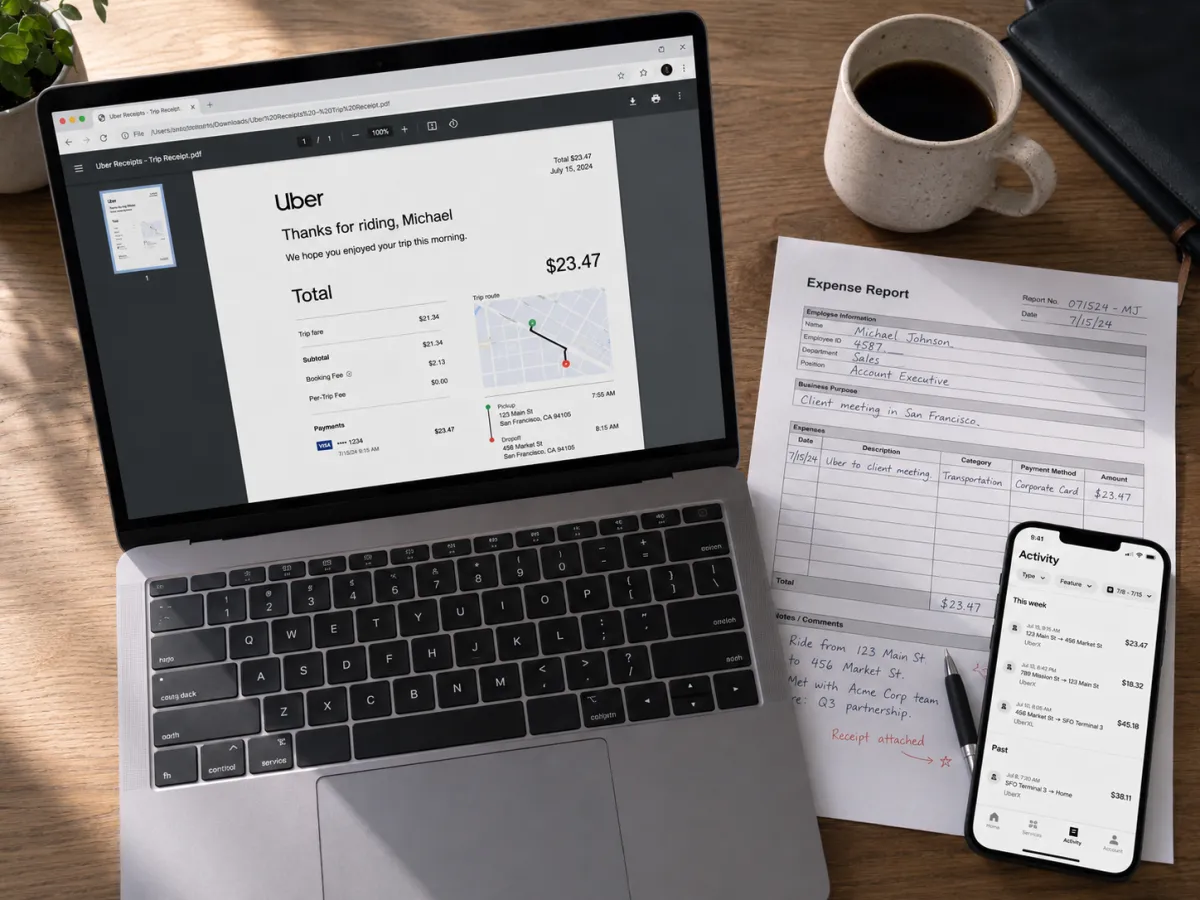
If you travel for work, set up a Business profile in each app. You can have a personal payment method and a business payment method on the same account, then toggle per trip. Receipts for business trips get formatted differently (more line-item detail) and can be auto-forwarded to your expense system (Expensify, Concur, Brex, Ramp). I cover the full receipt workflow in my Uber and Lyft receipts guide.
Both companies also have full corporate programs — Uber for Business and Lyft Business — where your employer can centrally manage and pay for rides. If your company offers it, accept. The receipts and reimbursement are dramatically simpler.
Splitting the fare
Uber removed its in-app "Split Fare" feature in many markets a few years back, then quietly brought a version of it back as Split Payment on Uber Reserve and on certain Uber Teen accounts. As of 2026, the most reliable way to split is the low-tech route: one person pays in the app, the other riders Venmo or Cash App them their share. It's what almost everyone I know does. Lyft has a similar story — split-pay exists in some markets but is unreliable enough that I don't recommend depending on it.
International cards while visiting the US
If you're visiting the US from abroad and want to use your home country's card, the answer is mostly yes, with caveats:
- Both apps accept foreign-issued Visa, Mastercard, and Amex. The charge runs through normal cross-border rails.
- Your home bank will likely charge a foreign transaction fee (1–3%) on every ride.
- Some 3D Secure / SCA challenges (the SMS code from your home bank) can interrupt the ride request flow. If your phone isn't on roaming, this fails.
- Apple Pay or Google Pay loaded with your home card usually works more reliably than entering the card directly, because the wallet token handles the authentication.
My recommendation to visiting friends: download the app, add your home card, set Apple Pay or Google Pay as the default, and keep $40 USD cash for a back-up Uber-cash ride in case everything else fails in a major city.
When payment fails
Almost every payment failure I've seen falls into one of five buckets:
- Fraud block. The bank flagged the charge. Open your bank app, approve the pending transaction, and re-request the ride.
- Expired card. Uber and Lyft both send reminders, but they get ignored. Update in Wallet.
- Insufficient balance on a prepaid or gift card. Top it up or switch methods.
- PayPal/Venmo funding source declined. Open PayPal or Venmo, switch the backup funding source, retry.
- Account hold for unpaid prior balance. If a previous ride failed to charge, the app blocks new rides until it clears. Pay the outstanding amount under Wallet → Outstanding Balance.
If you genuinely can't pay through the app and you're stuck, see my Uber customer service contact guide for the fastest way to reach support. For Lyft, the in-app chat is usually faster than calling.
Card rewards: the best cards for rideshare
This is the section that pays for itself. Picking the right card on file can rebate 5 to 10% of every ride in points or statement credit.
Travel points multiplier by card (chart)
For the cards that earn rewards on rideshare, here is the travel points multiplier side by side. The Amex Platinum is the outlier: instead of a multiplier it hands you up to $200/year in Uber Cash, which is why it tops most rideshare setups.
Illustrative; in-app figure is authoritative. Amex Platinum is a flat credit, not a multiplier — bar length is not directly comparable.
| Card | Rideshare benefit | Notes |
|---|---|---|
| American Express Platinum | Up to $200/year in Uber Cash ($15/month + $20 in December) | Requires Amex Platinum added directly to Uber account, not via Apple Pay |
| Chase Sapphire Reserve | 3x points on travel (rideshare counts) + $300 annual travel credit | Lyft Pink membership previously bundled; check current offer |
| Chase Sapphire Preferred | 2x points on travel (rideshare counts) | Lower annual fee than Reserve |
| Capital One Venture X | 2x miles on every purchase, 5x on travel booked through Capital One Travel | Simple flat earn rate |
| Amex Gold | 1x on rideshare (it's not a travel card for this purpose) | Skip Amex Gold for rideshare |
| Citi Premier | 3x on air travel and gas — not rideshare directly | Mediocre for rideshare |
| Wells Fargo Autograph | 3x on travel, transit, and rideshare | Underrated no-annual-fee option |
| Bilt Mastercard | 2x on travel, 1x on everything | Worth it for the rent-payment angle, not rideshare specifically |
My personal stack: Amex Platinum for Uber (to capture the $15/month credit), Chase Sapphire Reserve for Lyft (3x points on travel, and Lyft historically partnered with Chase). Two cards, one purpose each.
| Situation | Best method | Why |
|---|---|---|
| Daily commute on Uber | Amex Platinum (direct on Uber) | $15/month credit covers most short rides |
| Daily commute on Lyft | Chase Sapphire Reserve | 3x points on travel; no Lyft-specific credit but flexible rewards |
| Late-night ride home, primary card glitchy | Apple Pay with backup card | One-tap card switching |
| Medical appointment trip | HSA/FSA debit card | Pre-tax dollars per IRS Pub 502 |
| Business travel | Business profile with corp card | Auto-routed receipts, clean expense report |
| You only have cash on you | Uber cash (in supported city) | Only rideshare cash option in the US |
| Visiting US from abroad | Home card via Apple Pay + $40 cash backup | Wallet token avoids most SCA failures |
| Splitting with friends | One person pays, others Venmo back | Most reliable in 2026 |
| Gift card balance to burn | Uber Cash or Lyft Cash | Stacks with regular card as backup |
A note on taxes
Three quick things since people ask. Personal rides aren't deductible — your commute, your weekend ride, your night out, none of that is a business expense for a W-2 employee. Self-employed rideshare for work is deductible as an ordinary business expense; keep receipts and use the business profile in-app so receipts are formatted correctly. Medical rides paid out of pocket can count toward the itemized medical-expense deduction if you exceed the 7.5%-of-AGI threshold; most people won't, but if you do, save the receipts. I'm not a CPA, talk to one if your situation is non-trivial.
My actual setup
For full transparency, here's exactly how my Uber and Lyft accounts are configured in May 2026:
- Uber primary: Amex Platinum (for the $15/month credit), added directly to the account, not via Apple Pay
- Uber backup: Apple Pay with Chase Sapphire Reserve loaded
- Uber tertiary: FSA debit card (only selected for medical trips)
- Uber Cash: whatever balance is left from gift-card promotions I picked up at Kroger
- Lyft primary: Chase Sapphire Reserve, direct
- Lyft backup: Apple Pay
- Wallet cash: one $20 bill at all times
That setup has handled everything I've thrown at it for two years — including airport runs at 4 AM when my main card was being reissued and the only thing that worked was Apple Pay with a backup card I'd loaded six months earlier and forgotten about.
Stacking three payment methods is more setup than most people will ever do. If you only want one card on file: a Chase Sapphire Preferred earning 2x on travel, accepted on both apps, with no foreign transaction fees, is the single best one-card answer for the median rideshare user in 2026.
Read Next
Frequently Asked Questions
Can I pay for an Uber with cash in the US?
Yes, in select US cities. Uber accepts cash on UberX trips in markets like New York City, Miami, Chicago, Houston, Phoenix, Las Vegas, Orlando, San Antonio, El Paso, and parts of Los Angeles. The cash option only appears in your Wallet if your current city supports it. The driver must also opt in. Lyft does not accept cash anywhere in the US as of 2026.
Does Lyft accept cash?
No. Lyft has been cashless since launch and has publicly stated it has no plans to introduce cash payments in the US. If you specifically need to pay with cash, Uber is your only rideshare option in supported US cities.
Can I use Apple Pay or Google Pay for Uber and Lyft?
Yes, on both apps. Apple Pay works on iOS and Google Pay works on Android. They tokenize your underlying card for better security and let you switch cards with one tap. One caveat: certain card-specific credits (like the Amex Platinum monthly Uber credit) only apply when the card is added directly to your Uber account, not when it is hidden behind Apple Pay.
Can I pay Uber or Lyft with PayPal or Venmo?
Yes, both apps accept PayPal and Venmo in the US. The charge will draw from your PayPal or Venmo balance first, then fall back to your linked funding source. If your linked bank or card has issues, the ride payment can fail even though the wallet appears connected.
Can I use my HSA or FSA card to pay for an Uber to a doctor appointment?
Yes, for qualifying medical trips. IRS Publication 502 allows transportation expenses essential to medical care as a qualified medical expense, which includes rideshare trips to doctor visits, therapy, dialysis, lab work, and similar. Add your HSA or FSA debit card as a payment method and select it only for medical trips. Save the email receipts in case your plan administrator requests substantiation.
What is the best credit card to put on file for Uber and Lyft in 2026?
For Uber specifically, the Amex Platinum is hard to beat because of the $15-per-month Uber Cash credit (plus a $20 bonus in December), which covers most short rides. For Lyft, the Chase Sapphire Reserve earns 3x points on travel and has a long-running relationship with Lyft. If you only want one card across both apps, the Chase Sapphire Preferred earns 2x on travel, has a lower annual fee, and is widely accepted.
Why did my Uber or Lyft payment fail?
The most common reasons are: a bank fraud block, an expired card on file, an insufficient prepaid or gift card balance, a declined PayPal or Venmo backup funding source, or an outstanding balance from a prior failed ride. Check your Wallet for an outstanding balance notice and update the card or funding source before re-requesting.
Can foreign visitors use their home country credit cards for Uber and Lyft in the US?
Yes. Both apps accept foreign-issued Visa, Mastercard, and Amex. Expect a foreign transaction fee (1-3%) from your home bank on every ride. Loading your home card into Apple Pay or Google Pay tends to be more reliable than entering it directly, because the wallet token avoids most cross-border authentication challenges that can fail when your phone is not on roaming.
Ready to start saving?
Compare Uber, Lyft, and taxi prices side-by-side in seconds. Free, no sign-up required.
Compare Prices Now